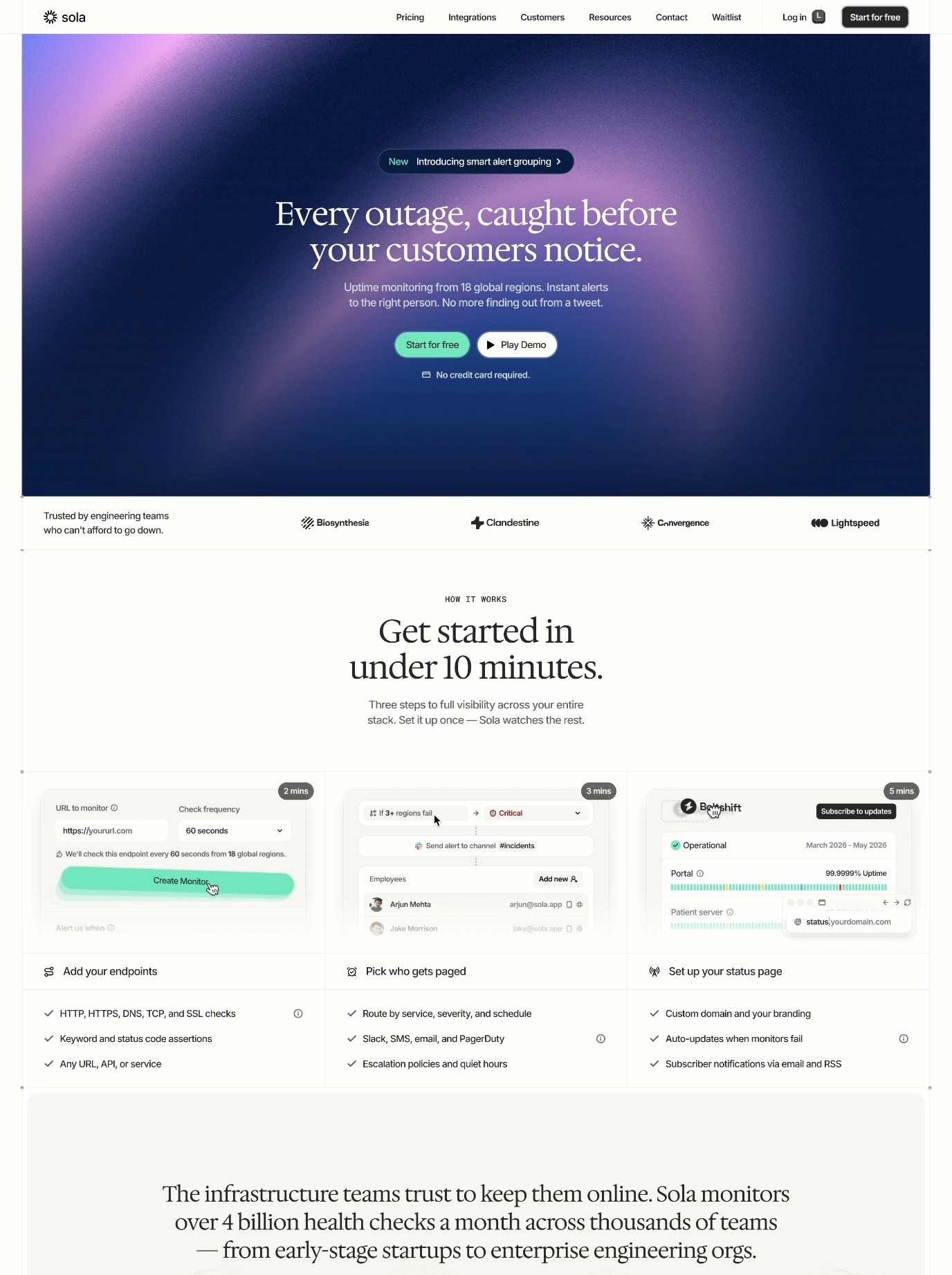
Dark Mode Design for SaaS Websites: Why It Matters and How to Get It Right
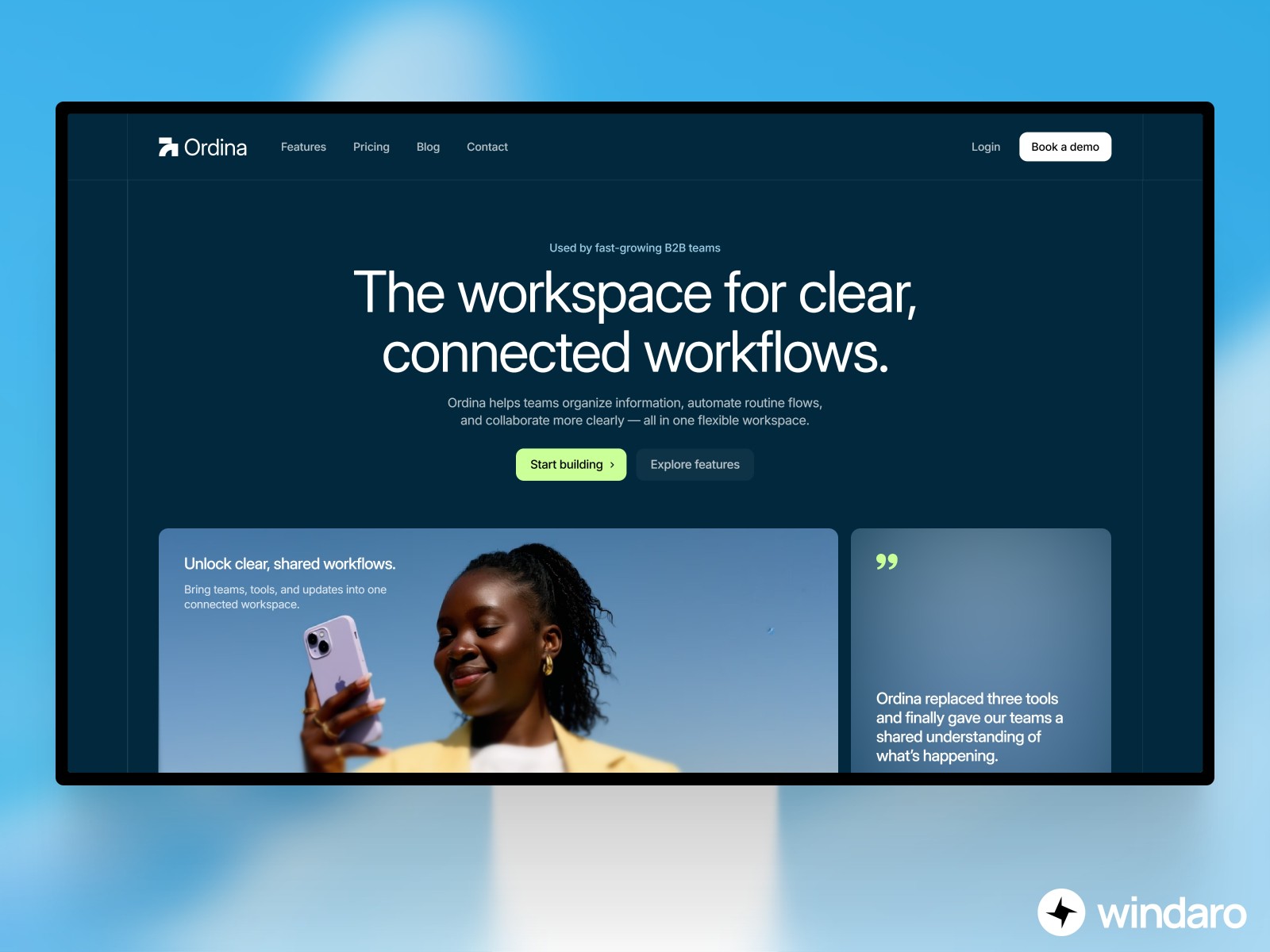
Dark mode has evolved from a novelty feature to an essential design standard for modern SaaS products. In 2026, users expect dark mode as a baseline option, not a premium add-on. What started as a way to reduce eye strain for developers working late at night has become a fundamental aspect of user experience design, influencing everything from color psychology to accessibility compliance.
The shift toward dark interfaces reflects broader changes in how we use software. With remote work now the norm, multiple monitors the standard, and a growing awareness of digital wellness, dark mode addresses real user needs. But implementing it successfully requires more than simply inverting colors and calling it a day. A poorly executed dark mode can be worse than no dark mode at all, causing eye strain, reducing readability, and creating a cheap aesthetic that undermines the entire product experience.
The Rise of Dark Mode in SaaS Products
The adoption of dark mode in SaaS products tells a story about evolving user expectations. Five years ago, dark mode was primarily found in developer tools and technical software. Today, it's standard across every category of SaaS, from project management tools to design platforms to financial software. This shift wasn't driven by a single company or trend, but by genuine user demand backed by research about screen time, eye health, and user preference.
By 2026, not offering dark mode puts a SaaS product at a competitive disadvantage. Users who prefer dark interfaces may simply choose a competitor that offers it. More importantly, dark mode has become associated with thoughtful, modern design. When users see that a product offers a well-implemented dark mode, they perceive it as more polished, more professional, and more user-centric than competitors who haven't made the investment.
The market data supports this perception. Studies consistently show that between 60-70% of users actively use dark mode when available, with even higher percentages in certain demographics. Developers, designers, and other technical users show adoption rates exceeding 80%. For any SaaS product targeting technical audiences, dark mode is no longer optional.
Understanding the Psychology Behind Dark Mode
The appeal of dark mode isn't merely aesthetic. There are genuine psychological and physiological reasons why users prefer it, and understanding these reasons helps inform better design decisions.
Reducing Eye Strain and Improving Focus
Contrast between bright screens and dark environments creates a phenomenon called "halation" or the halo effect, where bright light appears to bleed into surrounding areas. This forces your eyes to work harder, especially in low-light conditions. A dark interface eliminates this strain by maintaining a more consistent brightness level between the screen and the surrounding environment.
This isn't merely about comfort. When users experience less eye strain, they can work longer, focus better, and make fewer mistakes. For SaaS applications where users might spend hours per day in the software, the cumulative effect of reduced eye strain significantly impacts user satisfaction and retention.
The Premium and Intentionality Signal
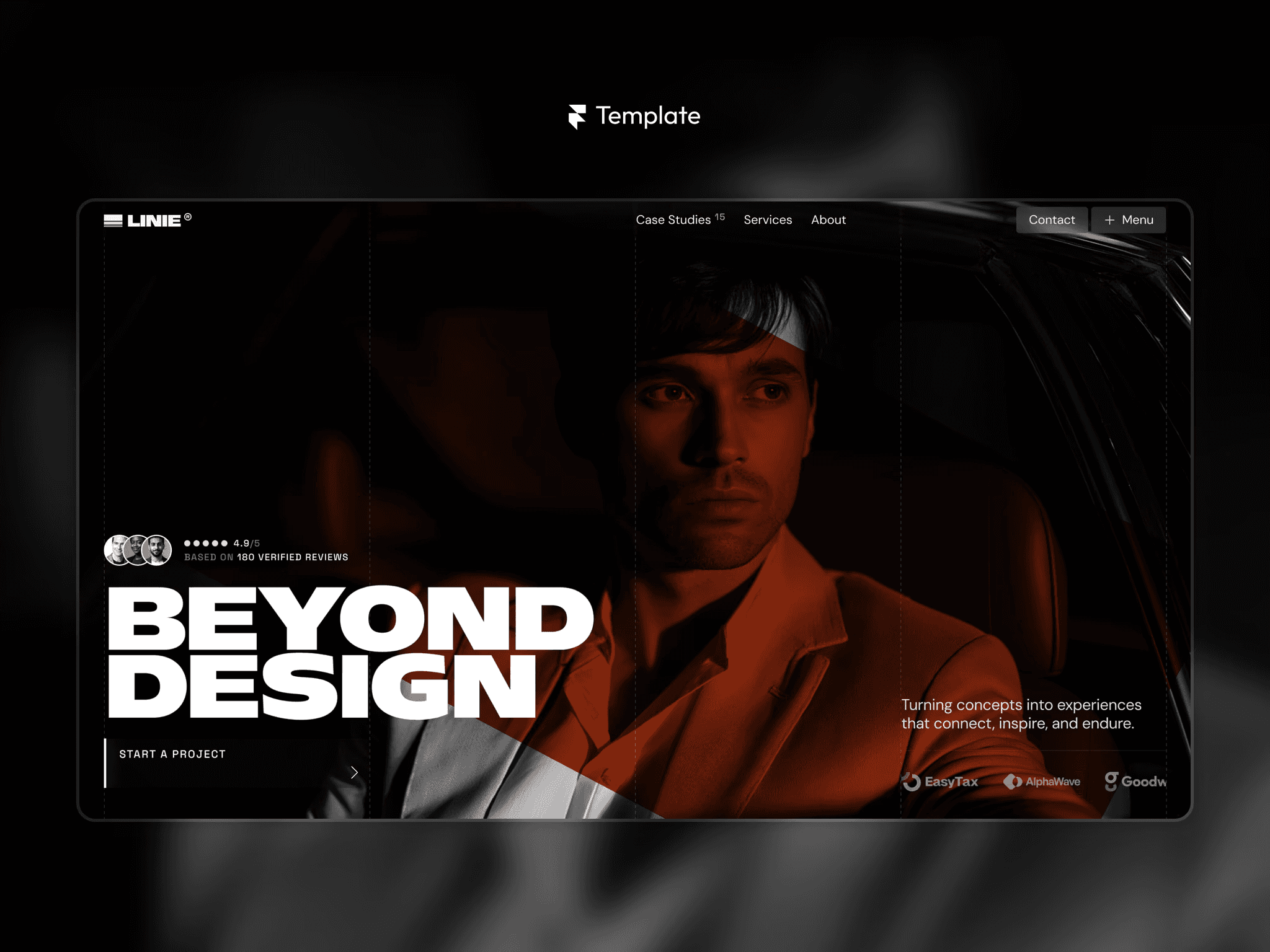
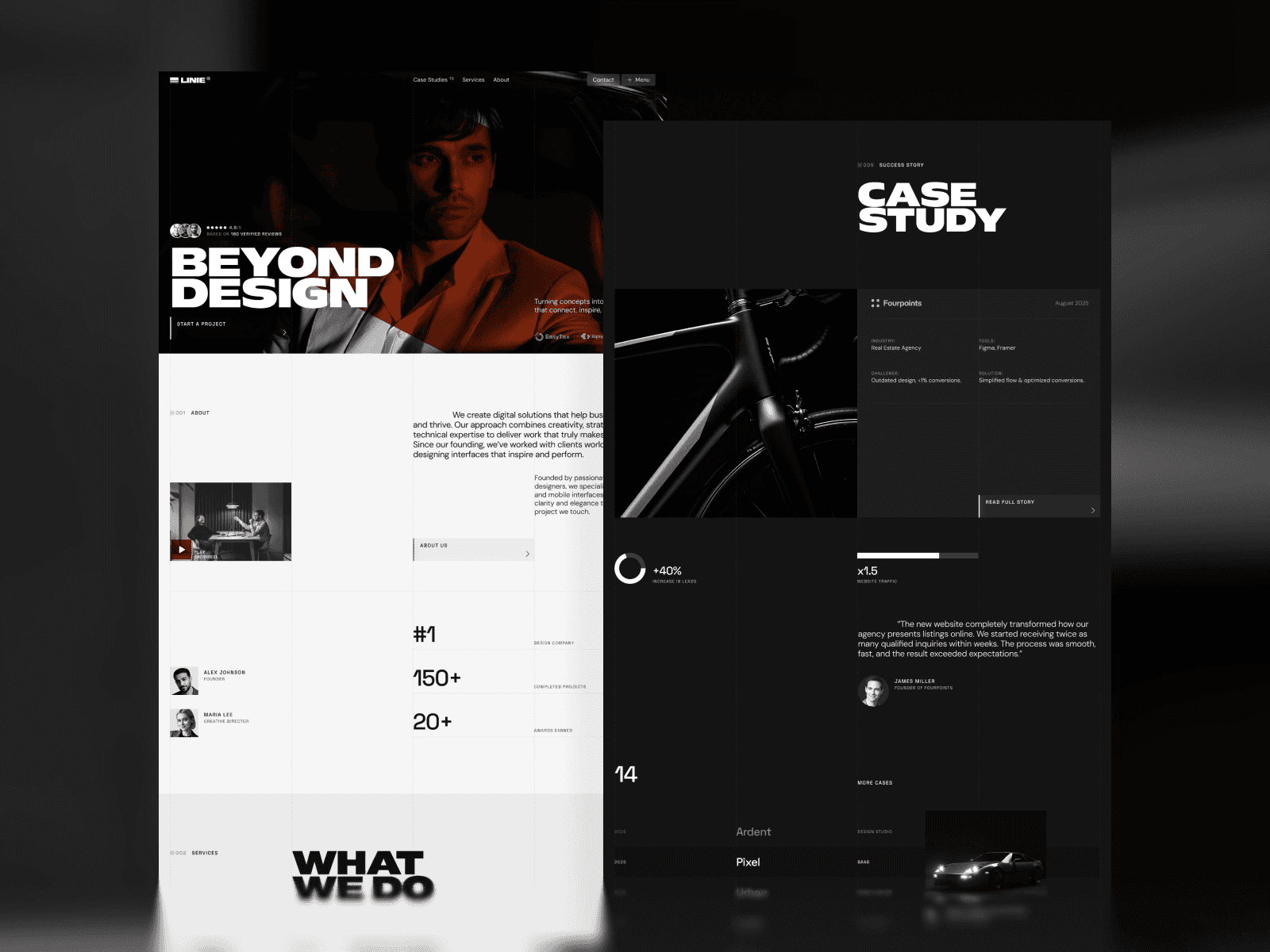
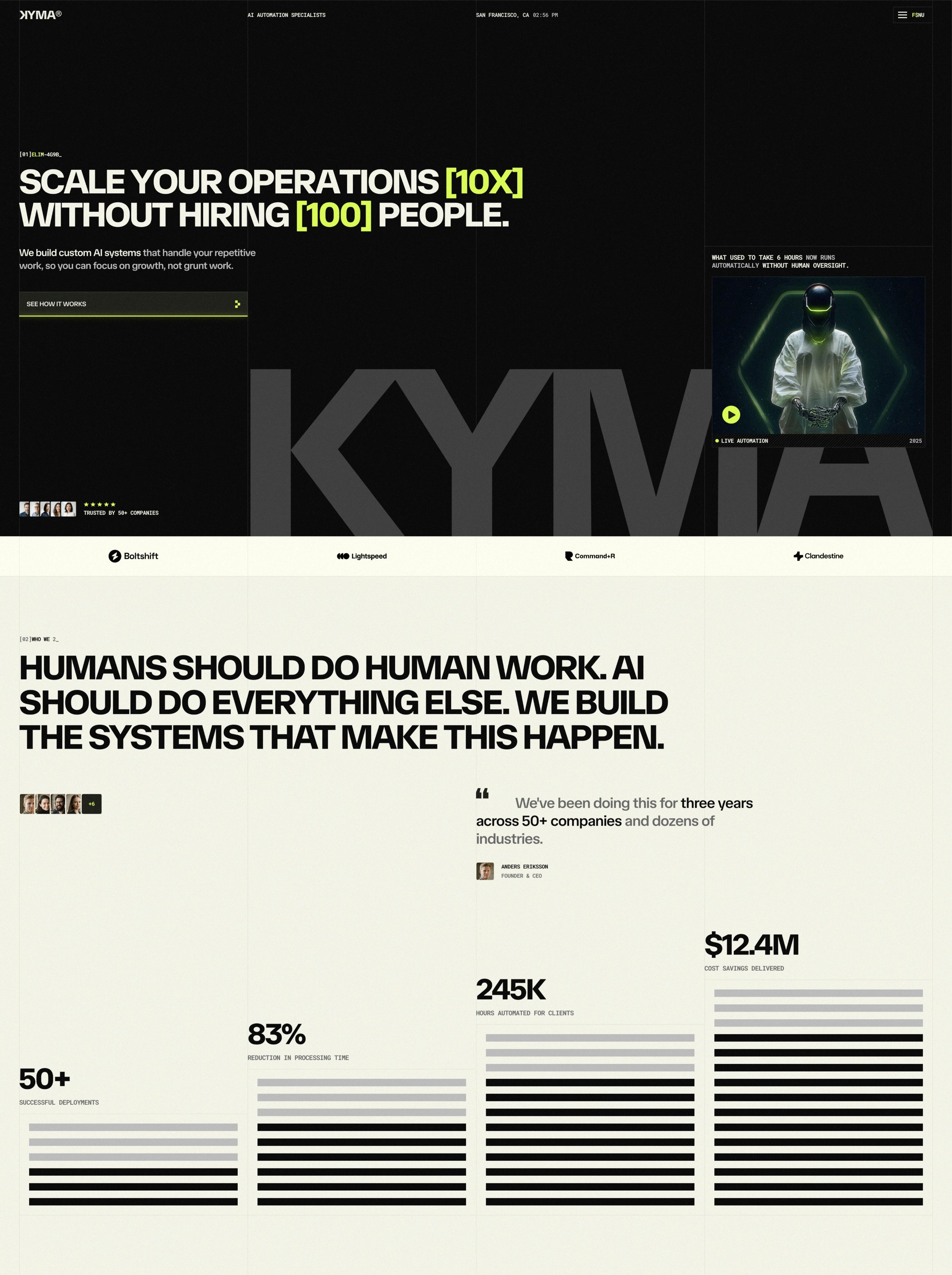
Dark interfaces feel more intentional and premium than light ones. This is partly psychological and partly cultural. Dark mode requires more careful design thinking, particularly around color selection and contrast. When a dark mode looks polished and professional, it signals that the company invested time in getting it right. The inverse is also true: a hastily implemented dark mode that's just inverted colors signals the opposite.
Users unconsciously absorb these signals. A SaaS product with a thoughtful dark mode feels more professional, more trustworthy, and more worth paying for. This psychological effect is significant enough that it should influence your design strategy regardless of other considerations.
Circadian Rhythm and Sleep Quality
Blue light from screens suppresses melatonin production, making it harder to fall asleep if you use bright interfaces before bed. Dark interfaces emit less blue light, helping maintain natural sleep patterns. This is particularly important for users in different time zones or those using software during evening hours.
While this benefit is sometimes overstated (the blue light effect is real but modest), it represents another genuine reason why users prefer dark mode for evening work. For products used globally across time zones, accommodating this preference demonstrates user-centricity.
Color Theory for Dark Interfaces
Creating an effective dark mode requires understanding how color behaves differently on dark backgrounds. Many designers make the mistake of simply inverting their light mode palette, which almost always results in a poor dark mode experience.
Why Color Inversion Fails
A light mode color palette is designed around brightness relationships that don't translate directly to dark mode. In light mode, designers use darker colors for text and UI elements against light backgrounds. Inverting these colors creates very bright, sometimes neon-like colors that can be jarring and difficult to read on dark backgrounds.
Consider a light mode where you use a dark gray text color (#333333) against a white background (#FFFFFF). Inverting both colors gives you a bright cyan (#CCCCCC) against black (#000000). The cyan is now barely readable on the dark background, creates excessive contrast that causes visual fatigue, and looks nothing like a cohesive color system.
Desaturating Colors in Dark Mode
The key to successful dark mode colors is desaturation and value adjustment. Colors that work in light mode often need to be lighter and less saturated for dark mode. This isn't an arbitrary rule; it reflects how human eyes perceive color at different brightness levels. A highly saturated cyan might be perfect for a button in light mode, but in dark mode, a more muted, lighter teal works better and feels more refined.
Most successful SaaS products use specific methodologies for this translation. One common approach is to shift colors toward lighter values while reducing saturation. Another is to create entirely separate color systems that feel cohesive with the light mode but are independently optimized for dark backgrounds.
Neutrals and Background Colors
Never use pure black (#000000) as your dark mode background. Pure black can create issues with older LCD displays, can cause extended eye strain from extreme contrast, and often looks harsh and less sophisticated than slightly lighter neutrals. Most professional dark modes use dark grays ranging from #121212 to #1E1E1E, which provide the dark aesthetic users expect while feeling slightly more refined.
Use multiple neutral tones to create hierarchy and depth. You might use your darkest neutral (#121212) for the main background, a slightly lighter neutral (#1A1A1A) for cards and panels, and an even lighter neutral (#2A2A2A) for hover states and interactive elements. This creates visual structure and makes it easier for users to understand component relationships.
Accent Colors and Vibrancy
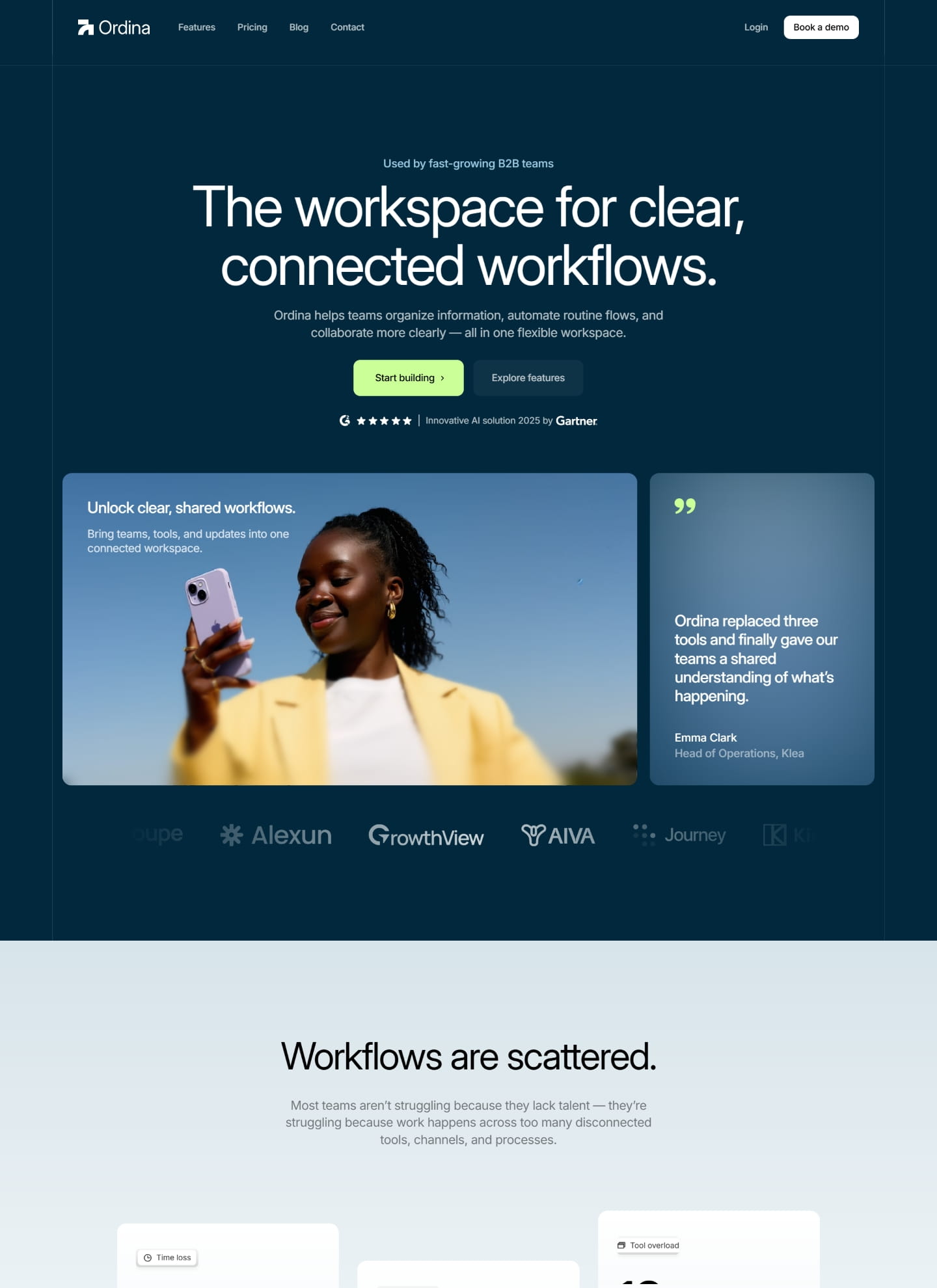
Accent colors should remain relatively consistent between light and dark modes in terms of function, but often need adjustment in saturation and brightness. A brand blue that works in light mode might feel too bright or saturated in dark mode. The goal is consistency in purpose and recognizability, not identical hex values across both modes.
The psychology of color perception means that the same blue appears different at different brightness levels. Your design system should account for this through carefully calibrated color palettes that maintain visual harmony across both modes.
Typography and Readability in Dark Mode
Typography becomes even more critical in dark mode. Light text on dark backgrounds requires different treatment than dark text on light backgrounds, and getting this wrong can significantly harm user experience.
Text Color and Contrast
Pure white (#FFFFFF) text is rarely the right choice for dark mode. It creates maximum contrast, which sounds good in theory but actually causes visual fatigue when reading longer passages. Instead, use slightly off-white colors like #E8E8E8 or #F0F0F0. This maintains excellent readability and WCAG AA compliance while feeling less harsh.
Contrast ratios matter significantly more in dark mode than many designers realize. The WCAG AA standard requires a contrast ratio of at least 4.5:1 for normal text and 3:1 for large text. In dark mode, you should aim for these minimums at minimum, but ideally exceed them. A contrast ratio of 5:1 or higher provides a safety margin and accounts for device variations and user vision differences.
Font Weight and Stroke Adjustment
Light text on dark backgrounds benefits from slightly heavier font weights than the equivalent text in light mode. This isn't just aesthetic preference; the optical effect of light text on dark backgrounds makes thinner strokes harder to read. Many designers increase font weight by 100-200 units when moving text to dark backgrounds. A 400-weight font in light mode might become 500 or 600 in dark mode.
Line height should also increase slightly in dark mode. The additional spacing between lines helps prevent the visual blending that can occur with light text on dark backgrounds, particularly at smaller sizes or when viewing on lower-quality displays.
Secondary Text and Hierarchy
Secondary text, labels, and annotations require special attention. In light mode, you might use a gray like #666666 for secondary text. In dark mode, a similar gray can become nearly invisible against the dark background. Secondary text in dark mode should typically be lighter, perhaps #A0A0A0 or #B0B0B0, to maintain the visual hierarchy while remaining readable.
Accessibility and WCAG Compliance in Dark Themes
Dark mode introduces specific accessibility considerations that go beyond traditional light mode compliance. A dark mode that passes WCAG AA in isolation might still create accessibility issues for users with certain vision conditions.
Contrast and Vision Impairments
Users with low vision or contrast sensitivity need sufficient contrast to read text comfortably. However, users with certain types of color blindness or astigmatism sometimes find extremely high contrast jarring. The solution is to maintain WCAG AA or AAA compliance across all text while avoiding pure black and pure white combinations.
Test your dark mode with tools like the WCAG contrast checker and also with real users who have vision impairments if possible. The standards are important, but real-world testing often reveals issues that automated tools miss.
Accommodating Light Sensitivity
Some users have light sensitivity issues that make them prefer dark mode for comfort reasons. However, if your dark mode uses overly bright accent colors or has overly high contrast, it can actually trigger issues for these users. This is why the balanced approach of avoiding pure white and slightly desaturating accent colors benefits both typical users and those with light sensitivity.
Color Blindness Considerations
Color blindness affects approximately 8% of males and 0.5% of females. Dark mode can sometimes make color blindness issues more pronounced if you're relying heavily on color to convey information. Always ensure that color isn't the only way to distinguish interface elements. Use shape, icon, position, and text in addition to color to convey meaning.
Implementing Dark Mode Toggle with Framer Variables
For teams building SaaS interfaces in Framer, implementing a functional dark mode toggle involves understanding how Framer variables interact with color styles and component systems.
Setting Up Color Variables
The foundation of a dark mode system in Framer is a comprehensive variable structure for all colors. Rather than hard-coding colors in individual components, define variables for each color role: background colors, text colors, border colors, and accent colors. Create separate variables for light and dark modes or use conditional variables that change based on a theme preference.
Framer's variable system allows you to create a "theme" variable that switches between "light" and "dark" values. Your color variables can then reference this theme variable and update accordingly. This approach means every component automatically respects the theme toggle without requiring individual modifications.
Creating a Theme Toggle Component
The theme toggle should be easily accessible, typically in the header or settings area of your application. Many SaaS products use a moon/sun icon that toggles between modes and optionally shows the current mode. The toggle should immediately update the entire interface, not require a page refresh or reload.
Store the user's theme preference in local storage or in their account settings so it persists across sessions. This ensures that when users return to the application, their preferred theme loads automatically.
Avoiding Flash of Wrong Theme
A common dark mode implementation issue is the "flash" where the page initially loads in light mode before switching to dark mode, creating a jarring experience. Prevent this by reading the stored theme preference before rendering and applying it immediately on page load. Alternatively, use system preference detection via `prefers-color-scheme` if you don't have stored preferences, so the initial render uses the correct theme.
For a deeper dive into implementing dynamic design systems, see how Framer variables enable dynamic design patterns that can accommodate multiple themes simultaneously.
Common Dark Mode Design Mistakes
Even teams with good intentions often make predictable mistakes when implementing dark mode. Awareness of these pitfalls can help you avoid them.
Inverted Colors Without Adjustment
The most common mistake is simply inverting the light mode colors and calling it done. This nearly always results in poor contrast, neon-like colors, and an amateurish appearance. Dark mode requires thoughtful color selection, not automated inversion.
Excessive Contrast
Pure white on pure black creates maximum contrast, which sounds ideal but actually causes eye fatigue with extended viewing. This extreme contrast can also exacerbate issues for users with light sensitivity or astigmatism. Use off-white and dark gray combinations instead.
Ignoring Secondary Elements
Many dark mode implementations focus on primary content but neglect secondary elements, borders, dividers, and disabled states. These elements need careful color selection to remain visible and distinct while fitting into the overall dark mode aesthetic. A dark mode that ignores these secondary elements ends up looking incomplete.
Not Testing on Actual Devices
Dark mode can look very different on different displays. An OLED display shows pure blacks differently than an LCD screen. A high-refresh-rate gaming monitor displays colors differently than a typical office display. Test your dark mode on the devices your actual users employ, not just on your design studio's premium display.
Forgetting About Images and Media
Images and media often look different against dark backgrounds. Product screenshots, photographs, and illustrated graphics might need adjustment, filtering, or background treatment to work well in dark mode. Some teams apply a subtle border or background to images in dark mode to help them stand out.
How Leading SaaS Products Approach Dark Mode
Several companies have set the standard for dark mode implementation in SaaS products. Examining their approaches reveals consistent patterns about what makes dark mode work well.
Linear's Meticulous Implementation
Linear, an issue tracking platform, is widely recognized for one of the most polished dark mode implementations in SaaS. Their approach involves carefully selected neutrals that avoid pure black, thoughtfully desaturated colors that feel cohesive, and excellent typography that accounts for light text on dark backgrounds. Every interface element, from tiny icon sizes to complex tables, receives equal attention.
Superhuman's Premium Aesthetic
Superhuman, an email platform for power users, uses dark mode as a primary aesthetic rather than a secondary option. Their dark theme feels intentional and premium, with carefully chosen accent colors that guide user attention. The design demonstrates that dark mode can feel luxurious and desirable rather than purely functional.
Vercel's Technical Sophistication
Vercel, a deployment and edge platform, uses dark mode to reinforce their technical positioning. The dark interface, combined with precise typography and functional design, creates an aesthetic that appeals to developers and technical teams. Their dark mode doesn't feel like an afterthought; it's central to the brand identity.
Raycast's Developer-Centric Approach
Raycast, a productivity launcher, defaults to dark mode because it's optimized for developers who spend extended periods in the application. Their approach prioritizes user preferences and recognizes that their target audience strongly prefers dark interfaces.
These products share common characteristics: careful color selection, consistent implementation across every interface element, consideration for typography, and no shortcuts or compromises. None of them simply inverted their light mode colors or treated dark mode as an optional feature. They invested in making dark mode first-class.
Testing Dark Mode Across Devices and Contexts
Proper dark mode testing goes far beyond looking at the design on your personal device. A comprehensive testing approach ensures your dark mode works across the full range of devices and contexts your users employ.
Display Technology Variations
Different display technologies render dark mode very differently. OLED displays can produce true blacks by turning off pixels entirely, making dark mode look crisp and vibrant. LED-backlit LCD displays produce blacks as very dark gray with the backlight still partially lit, making dark mode look slightly different. Older LCD displays without good color calibration might render colors differently still. Test on representative examples of each technology to catch issues.
Brightness and Color Temperature
Test your dark mode in different lighting conditions. A dark mode that looks perfect in a dark room might feel uncomfortable in bright daylight, and vice versa. If possible, test in both environments. This is particularly important for mobile and tablet interfaces that users view in varying contexts throughout the day.
Operating System Consistency
If your SaaS product is web-based and accessed on both Windows and macOS, test on both systems. The system preference for dark mode is different on each, and system accent colors vary. Ensure your dark mode works well across these platform differences.
Zoom Levels and Scaling
Test dark mode at various zoom levels and with browser text scaling adjustments. Some users zoom into pages for readability. Your dark mode should maintain readability and appearance at these zoom levels, and contrast ratios should remain compliant.
Extended Use Testing
Have team members and actual users work in your dark mode for extended periods, not just brief visual checks. Eye strain, readability issues, and perception of the aesthetic often only emerge after 30 minutes to several hours of use. This extended testing reveals issues that spot-checking won't.
Building a Dark Mode Strategy into Your Design System
Dark mode should be a first-class consideration in your design system, not an afterthought. This means planning for it from the beginning and maintaining both light and dark themes as primary variants rather than treating one as the secondary option.
Variable-First Design
Rather than hard-coding colors in components, use variables for every color decision. This approach, central to modern design systems, makes it trivial to support dark mode and any future theme variations. Learn more about this approach in building comprehensive design systems with component architecture.
Consistent Naming and Organization
Organize your color system using consistent naming conventions that apply to both light and dark modes. Names like "background-primary," "text-secondary," and "border-subtle" make it clear what role each color serves, making it easy for designers and developers to apply them correctly.
Documentation and Guidelines
Document the philosophy behind your dark mode, including specific guidance on color selection, contrast requirements, typography adjustments, and common mistakes. This documentation helps ensure consistency as your team grows and new designers join the project.
Continuous Testing and Iteration
As you add new features and interface elements, test them in both light and dark modes immediately. Don't batch dark mode testing for later; it should be part of the normal design and development process. This prevents the accumulation of dark mode issues.
The Future of Dark Mode and Theme Flexibility
While dark and light modes are the current standard, the future likely holds more theme flexibility. Some SaaS products are beginning to offer true theme customization, allowing users to select colors that align with their preferences or accessibility needs.
By building your design system with variables and maintaining clear separation between color roles and specific colors, you future-proof your product for additional themes. The work you do now to properly support dark mode makes it much easier to support custom themes later.
The evolution of design systems and tools continues to make sophisticated theme support more accessible. Framer's variable system represents a step in this direction, as do similar systems in other design tools. Teams that embrace variable-first design now will find it much easier to adapt as user expectations and technology evolve.
Dark mode has become a standard expectation for SaaS products in 2026, and for good reason. When implemented thoughtfully, dark mode improves user experience, supports accessibility, and signals product quality. When implemented hastily, it detracts from the entire experience. The difference between a great dark mode and a poor one isn't complicated, but it does require attention to color theory, typography, contrast, and rigorous testing. By approaching dark mode as a fundamental part of your design system rather than an optional feature, you create a product that works beautifully for all users, regardless of their preference or context.
For teams building in Framer, the tools exist to implement sophisticated dark mode systems without excessive complexity. The key is starting early, maintaining discipline about color variables, and testing thoroughly. The brands doing dark mode best—Linear, Superhuman, Vercel, Raycast—demonstrate that thoughtful dark mode implementation is achievable and worth the investment. Your users will notice, and they'll appreciate it.